The documentation implies only particles can be used for local fog, but you can also use a simple box.
You must have ExponentialHeightFog in your level with Volumetric Fog enabled.
Fog Volume Mesh
- Create a basic Cube, anything works:
- /Engine/BasicShapes/Cube
- /Engine/EngineVolumetrics/FogEnvironment/Mesh/S_EV_FogVolume_Cube_01
- I prefer “S_EV_FogVolume_Cube_01” because its pivot is at the base
- Set Collision Presets: NoCollision
Fog Volume Material
Create a new material
- Material Domain: Volume
- Blend Mode: Additive
We can add gradients like masks and use Static Switch Params for optional features.
Part 1: Constant
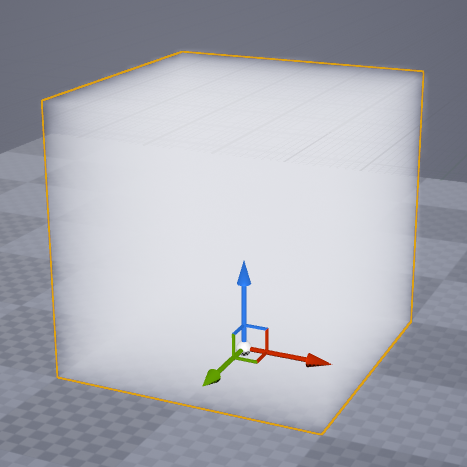
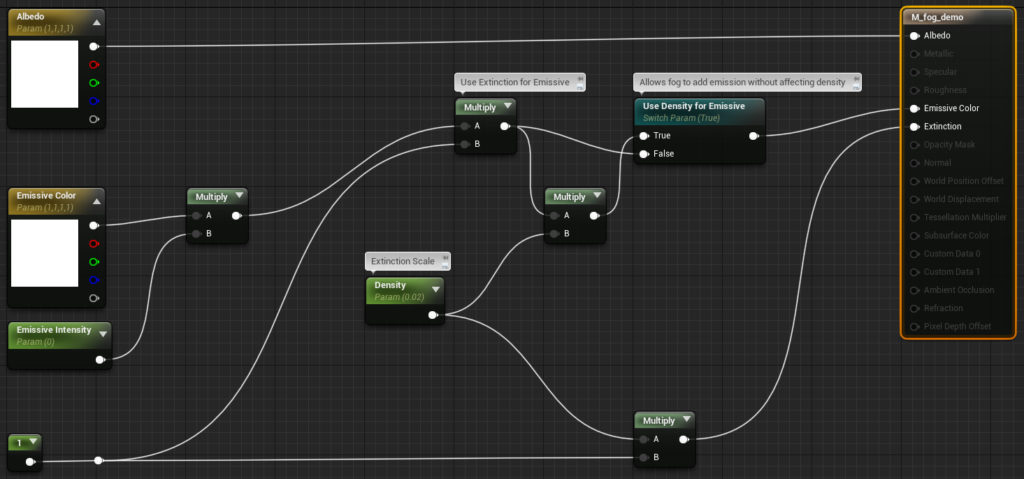
This initial shader provides uniform fog with no edge fading. The Static Switch allows adding Emissive with 0 density. This is useful when you want to add some emission but your global fog is already absorbing enough light and you do not want to add more density—depending on your skylight mobility and volume lighting method this is a good way to fake skylight contribution where needed.


Part 2: Directional Gradient
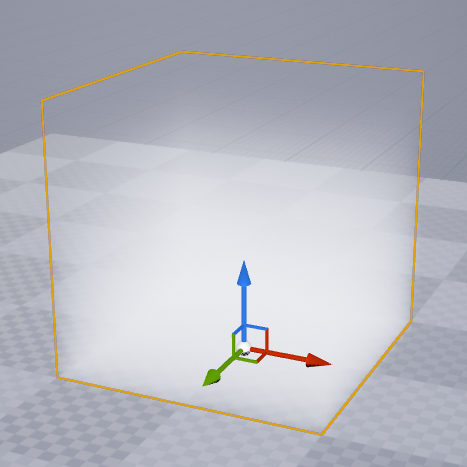
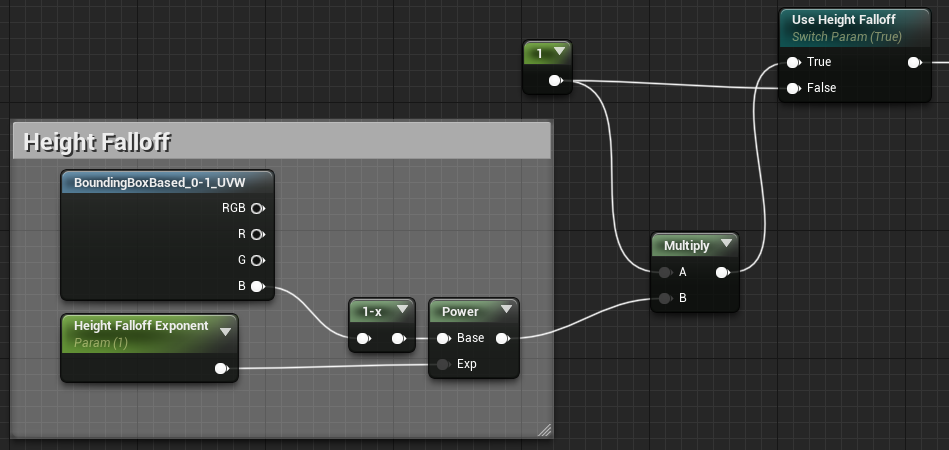
Prepending this to the previous shader adds a vertical gradient (replace the bottom left “1” with this network). Rotate the fog volume actor to change the direction.
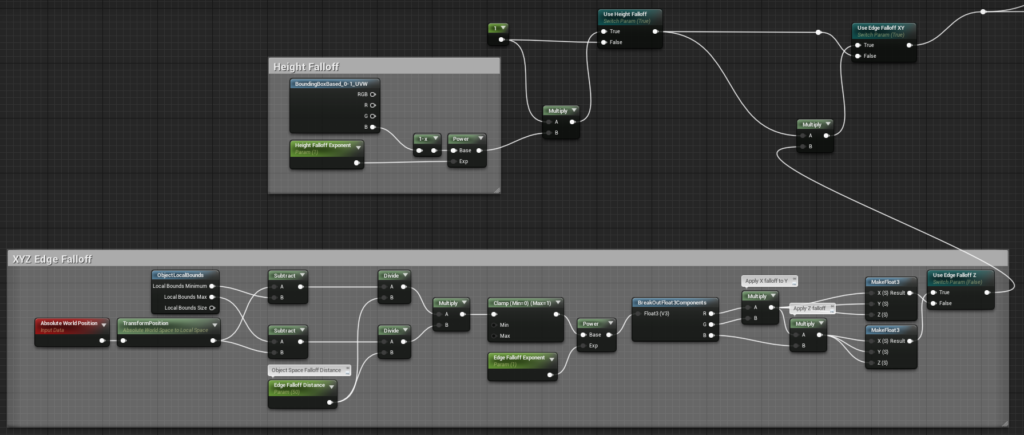
Part 3: Edge Falloff
Again this acts as a mask and so can be inserted with Multiply.
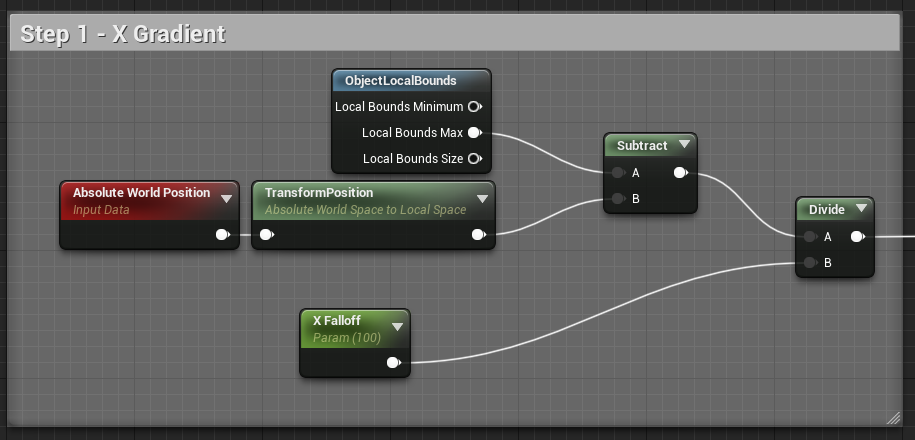
Step 1: Directional Gradient Distance
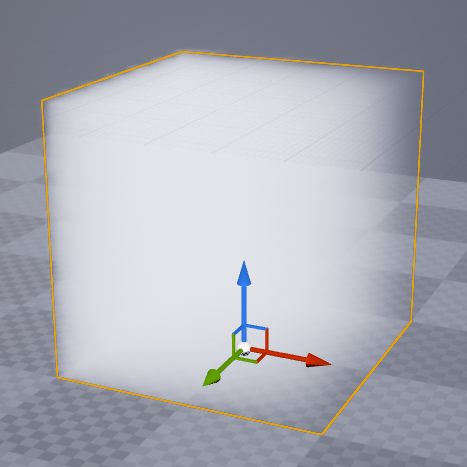
The first part of this gradient is (internally) the same as the one above, except instead of dividing by the ObjectLocalBounds Size we divide by a distance parameter (X Falloff). This sets the gradient distance in Object Space.
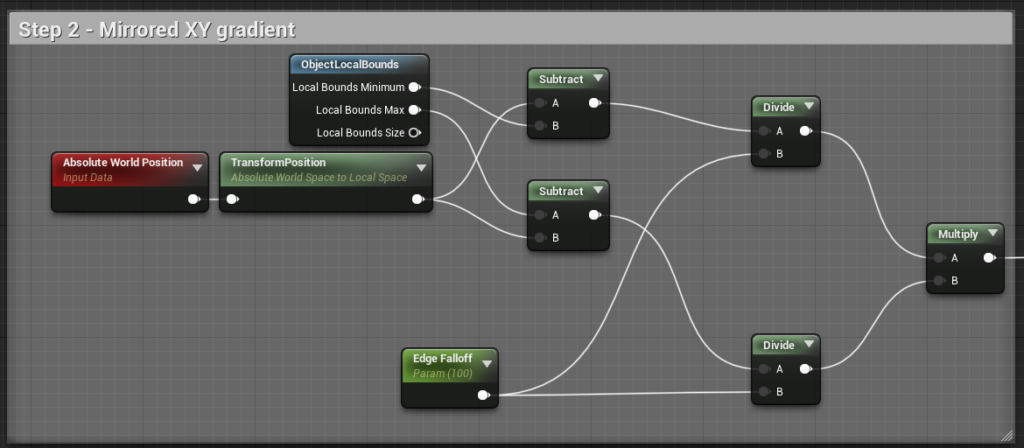
Step 2: Bi-Directional Gradient
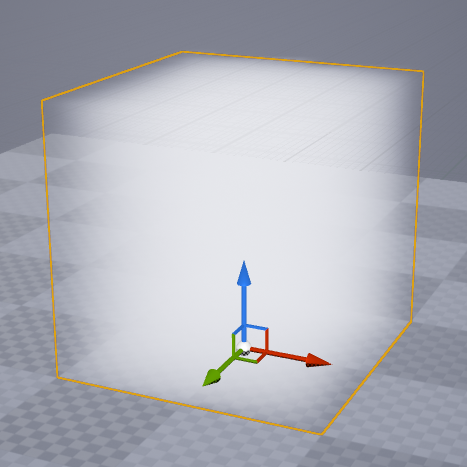
This applies the gradient distance from both outside directions at the same time
Step 3: Apply Gradient in XYZ
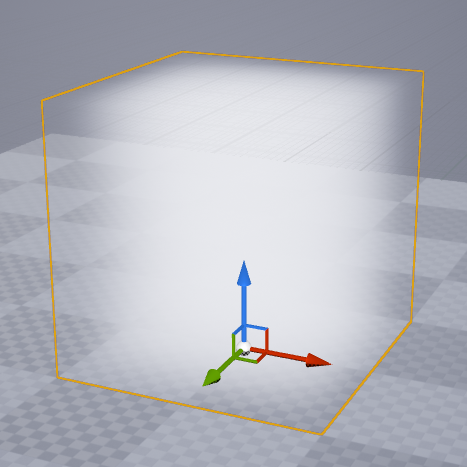
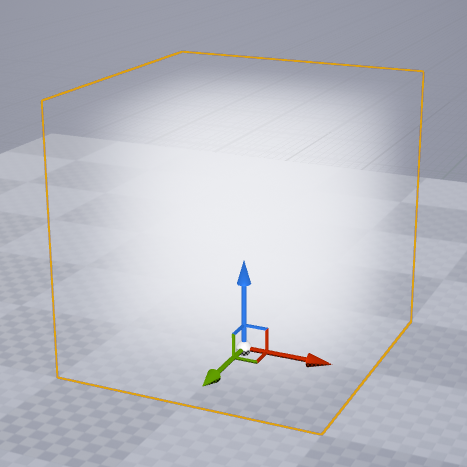
Finally, we multiply XYZ. We could simply make X=Y=Z, but multiplying gives corners a rounder falloff.
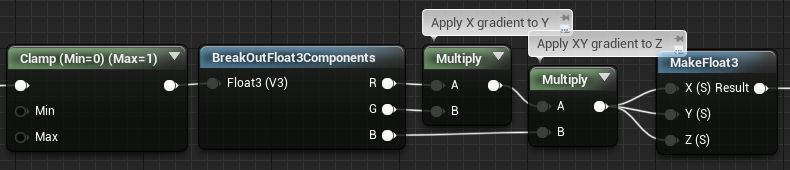
Part 4: Combined Falloff
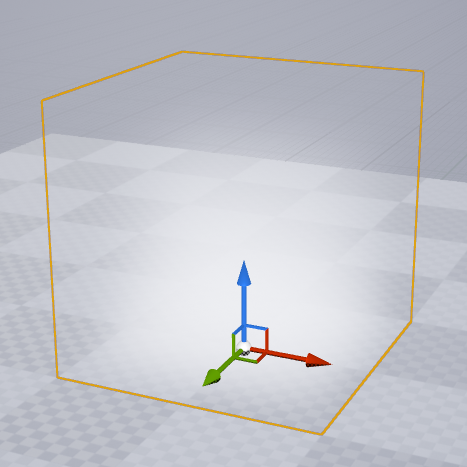
Combine this with Part 1 for the finished volumetric material.
Leave a Reply
You must be logged in to post a comment.